
How to Add SSH Keys to New or Existing Servers
EasyCloudify Servers (VPS) are Linux-based virtual machines (VMs) that run on top of virtualized hardware. Each VPS you create is a new virtual private server you can use, either standalone or as part of a larger, cloud-based infrastructure.
You can manage your Servers using password-based logins, but we strongly recommend using SSH key pairs instead. SSH keys are more secure than passwords and can help you log in without having to remember long passwords.
To use SSH keys with your Droplets, you need to:
-
Create an SSH key using an SSH client installed on your local computer. OpenSSH is included on Linux, macOS, and Windows Subsystem for Linux. Windows users without Bash can use PuTTY.
- Add your SSH key to your Servers. On EasyCloudify, you can upload your SSH public key to Cloud Control Panel, which lets you add it to your Servers at creation time.
-
Access keys > ADD SSH KEY
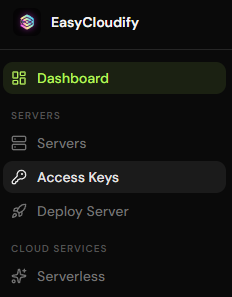
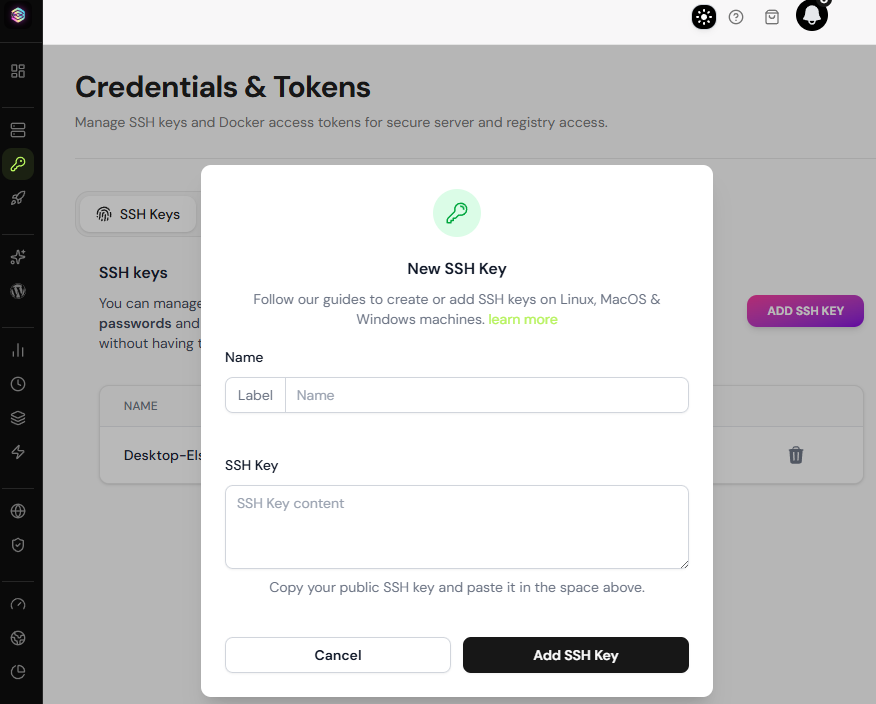
This lets you log in to your servers without a password while still remaining secure.
-
After you create and upload your keys, you can connect using them.
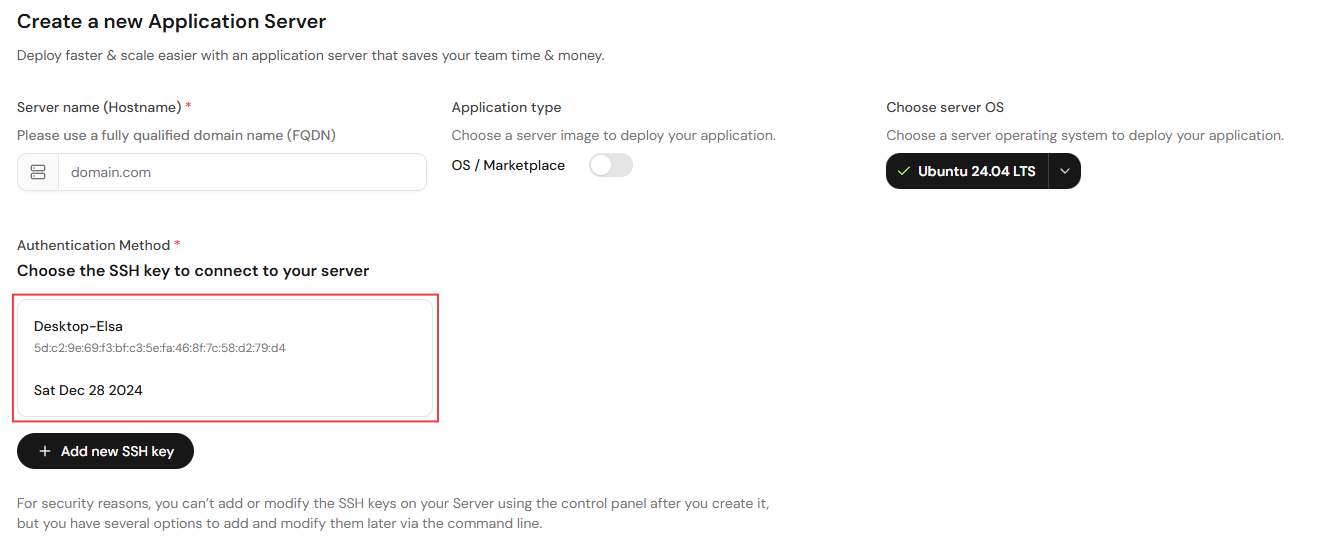
If you currently can’t connect to your Server or lost your SSH Key pair, reach out to our team to reset your access.